
Nothing about WhatsApp itself changes when you switch provider. Every platform runs on Meta’s Cloud API, needs the same approved templates, obeys the same 24-hour window, and pays Meta per delivered message — since 1 October 2026 that includes free-form replies inside that window, billed at the market’s utility rate once a number has used its 1,000 free service messages for the month, and utility templates sent inside that window. The differences are entirely in the layer above — pricing model, caps, data location, contract — and that is the only place worth comparing.
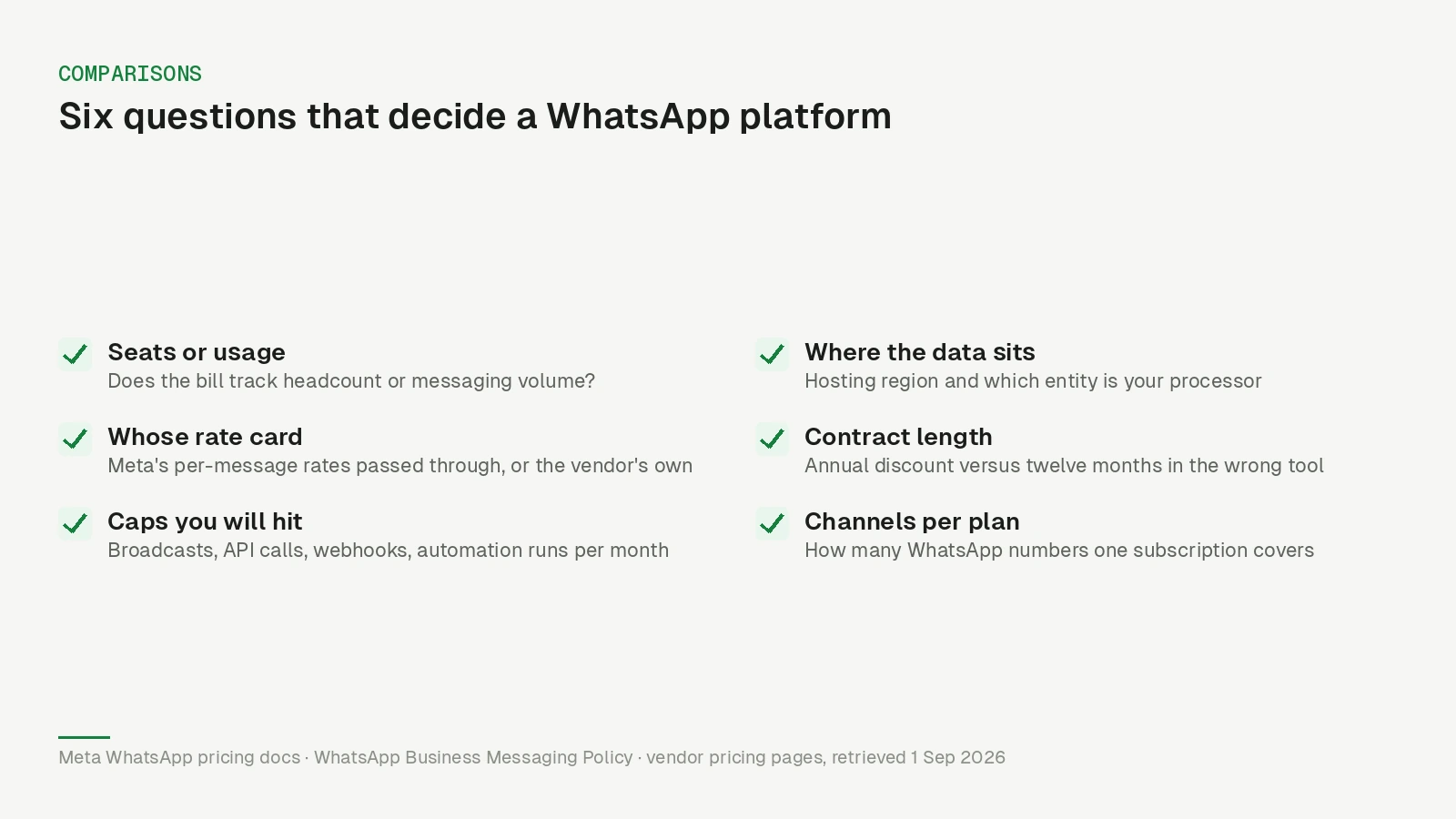
Which makes most feature grids beside the point. Six questions decide it, and four of them are on the pricing page rather than the feature page.
What is identical no matter who you pick
Worth stating plainly, because vendor comparisons rarely do:
- Meta’s charge. Since 1 July 2025 Meta bills per message, and as of 1 November 2026 its pricing documentation puts it simply: “Businesses are only charged when a message is delivered.” Since 1 October 2026 that includes service messages and utility templates inside the 24-hour window, service after a free tier of 1,000 delivered messages per phone number per month and utility with no free tier, and an account without a payment method on file stops delivering service messages once the tier is used. Marketing, utility, authentication and service each carry the market’s rate, service at the utility rate with no volume tiers (the details are here). The change applies to every provider equally. No provider negotiates that away.
- Template approval. Per the WhatsApp Business Messaging Policy, “you may only initiate conversations using an approved Message Template”, and Meta may “review, approve, pause and reject any Message Template at any time”.
- Opt-in. The same policy (last updated 23 September 2026) requires that people “have given you their mobile phone number or username” and that “you have received opt-in permission” — regardless of which dashboard you send from.
- Quality-driven limits. Meta ties automatic increases in your messaging limits to sending high-quality messages and using at least half of your current limit over the last seven days, not to the plan you bought. The limit is set per business portfolio, and if several providers share one number they share its limit too.
- Your number. It is yours. Under Meta’s new account model the number sits in a WhatsApp account that, per Meta’s account model documentation, “is always owned by the client or direct developer” — never by the provider.
If a comparison page implies otherwise about any of these five, that tells you something about the page.
What switching involves now
Switching used to mean migrating the number from one provider to another. That is no longer how it works. Meta split the old WhatsApp Business Account (WABA) into a WhatsApp account for the number and a Messaging account for templates and billing, rolling out from 23 September 2026 to all businesses by mid-October. Its documentation now says phone number migration between Solution Partners “is not supported in the new account model”: you share your WhatsApp account with the new provider instead, and “the number does not move, conversations are uninterrupted, and there is no migration to perform”.
Templates are the part to plan for. Each provider gets its own Messaging account, and templates “are not shared across Messaging accounts”, so they have to be recreated or copied. Per Meta’s template migration documentation, “migration doesn’t move templates; it recreates them in the destination Messaging account”, only between Messaging accounts owned by the same Meta business, and only for templates that are APPROVED with a quality_score of GREEN or UNKNOWN; individual templates can still fail, for an incorrect category, for instance.
If the new provider’s Messaging account belongs to a different business than the old one, plan on recreating templates by hand and resubmitting them for approval. Either way, Meta notes that migrated templates’ “quality ratings and messaging tier reset to baseline, requiring a ramp-up period of approximately 2–4 weeks”. Sharing is also additive: the old provider stays on the number until you remove it.
The six things that actually differ
1. Seats or usage. Does the bill track headcount or messaging? Per-seat pricing is predictable while the team is stable and becomes the single most common reason to go shopping when it is not.
2. Whose rate card. Some providers pass Meta’s per-message rates straight through; others resell messages on their own card, with the margin folded in. Meta’s own Solution Provider documentation describes both: Solution Partners with a credit line invoice their clients for API usage directly, while Tech Providers let Meta bill the customer. Both are legitimate business models. Only one of them lets you predict your bill from Meta’s published rates.
3. Caps you will actually hit. Broadcast volume per month, API calls per month, webhook availability, automation runs. These are the numbers that decide whether the plan you signed is the plan you can use in month six.
4. Where the data sits, and who the processor is. Relevant to your Article 30 record and your DPA, and the one item on this list that a support ticket cannot fix later. We went through the whole chain in where does WhatsApp Business data go.
5. Contract length. Annual discounts are real, and so is being twelve months into the wrong tool.
6. Channels per plan. How many WhatsApp numbers one subscription covers, which matters the moment you add a second brand, a second market, or a support number next to the marketing one.
How Wati’s plans are structured today
Neutral, from Wati’s pricing page as retrieved on 1 November 2026, in the US-dollar prices it showed us — the page is regional, so your currency and figures may differ. Check it yourself before deciding anything, because pricing pages move:
| Growth | Pro | Business | |
|---|---|---|---|
| Price per month | $39 billed annually, $49 monthly | $79 annually, $99 monthly | $199 annually, $249 monthly |
| WhatsApp numbers | not stated | not stated | ”Multiple WhatsApp numbers” listed as a feature |
| Users included | 3 | 5 | 5 |
| Extra users | ”no additional users” | $24/user/month | $59/user/month |
| Broadcasts | 15k/month, standard rates | unlimited, standard rates | unlimited, volume discounts |
| API calls | 10k/month, no webhooks | 200k/month, limited webhooks | 20M/month, extensive webhooks |
| Messages | separate | separate | separate |
Additional WhatsApp numbers are listed as an add-on at $29 per month per number; the page does not say which plans can buy it.
Two structural notes rather than judgements. Seats are a line item above the entry plan, at two different rates depending on tier, so the bill moves with the team. And messages are “charged based on WATI rate card”, with the page noting that “per message charges vary for marketing, utility & authentication” — which is question two on the list above, answered.
The plans also carry a “7 days free trial, zero setup fees”. Anything beyond this — feature depth, support quality, how the product feels on day thirty — is not something we can source, so we will not characterise it.
What this means for you
Run the same six questions against every tool on your shortlist, including the one you are already paying for. In writing, with numbers:
- What does this cost with the team I will have next year, not the one I have today?
- Am I billed Meta’s message rates or the vendor’s?
- Which cap do I hit first — broadcasts, API calls, or automations?
- Where is the data, and which entity is my processor?
- How long am I committed for?
- How many numbers does one subscription cover?
Then price a real campaign — your actual recipient count, at Meta’s rate for your actual market — and add the subscription. That number is the comparison. Feature lists rarely change it by much.
For what it is worth on question six, Nybero prices by channel rather than by seat, and Meta bills your messages directly to your own Messaging account rather than through us; the Wati alternative page sets out where it fits and where it does not, including what it deliberately leaves out. If your reason for looking is question four, start there instead.
Updated 1 October 2026: Meta’s October pricing change (service messages, free tier, payment-method rule), the Business Messaging Policy wording of 23 September 2026 and the template migration constraints were updated; Wati’s pricing page was re-verified on 1 October 2026.
Correction, 1 November 2026: An earlier version of this article stated that switching provider means migrating your number. Under Meta’s new account model, phone number migration between Solution Partners is not supported; the number stays in a WhatsApp account you own and is shared with the new provider instead. The earlier version also gave Wati’s extra Business seat as $69/user/month and described Growth as “connect any 1 channel”; as of 1 November 2026 the pricing page lists $59/user/month and no longer carries that phrase, and the rupee single-user plan no longer appears on the page we were served. Meta’s pricing quote, the messaging-limit criteria and the Wati prices were re-verified on 1 November 2026.